


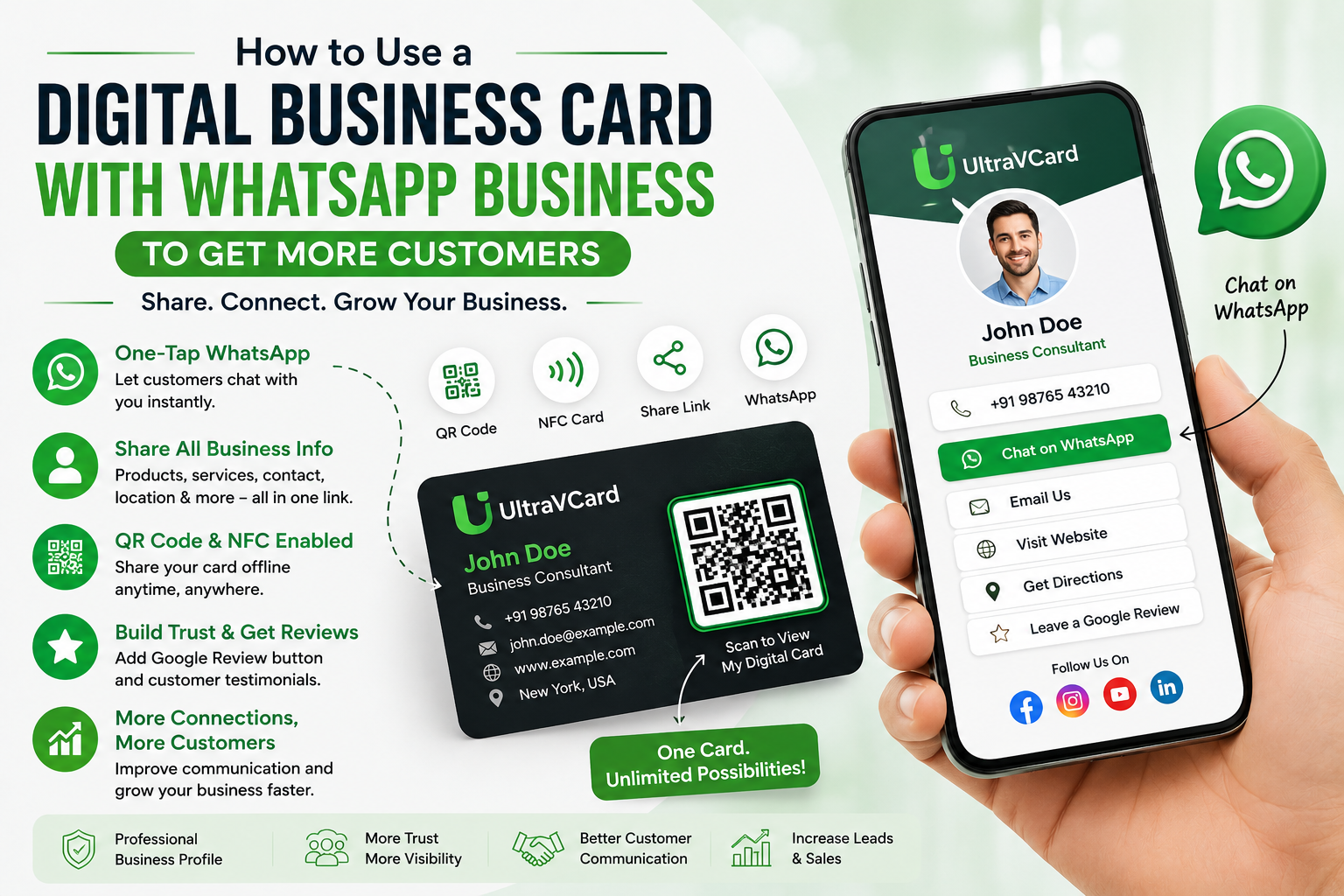
WhatsApp has become one of the most popular communication tools for businesses and customers. From small shops and freelancers to restaurants, salons, consultants, real estate agents, and service providers, businesses use WhatsApp to answer questions, share products, take orders, and communicate with customers.
However, simply having a WhatsApp number is not enough. Customers also need an easy way to discover your business, understand what you offer, find your location, view your products, and contact you.
This is where a digital business card can become a useful marketing tool.
Instead of sharing only your WhatsApp number, you can share a professional digital profile containing your business information, WhatsApp button, website, products, services, social media links, location, and other important details.
A customer can open your digital business card and choose how they want to interact with your business.
In this guide, we'll explain how to use a digital business card with WhatsApp Business, why the combination is useful, and how small businesses can use it to generate more customer inquiries.
A digital business card is an online version of a traditional business card.
Instead of printing your name, phone number, and address on paper, you create a web-based profile that customers can access from their smartphone.
A digital business card can contain:
The biggest advantage is that everything can be available from one place.
Instead of sending customers five different links, you can send them one digital business card.
WhatsApp is excellent for communication, while a digital business card is excellent for presenting your business information.
Combining the two creates a simple customer journey.
For example:
Customer sees your QR code → Opens your digital business card → Views your products → Clicks WhatsApp → Starts a conversation
This is much more convenient than simply giving someone a phone number.
A professional digital profile also gives customers more information before they contact you, which can make conversations more relevant and reduce repetitive questions.
One of the most useful features of a digital business card is a direct WhatsApp button.
Instead of asking customers to save your number first, they can simply click:
Chat on WhatsApp
This opens WhatsApp and allows them to start a conversation.
For example, a customer visiting your profile might see:
Call Now
Website
Get Directions
This gives customers multiple ways to contact your business.
Imagine a customer receives only this message:
Contact us on WhatsApp: +91 XXXXX XXXXX
The customer has very little information.
Now imagine sending:
Hi! You can find all our business information, products, services, location and WhatsApp contact here: [Digital Business Card]
The second option provides much more context.
Customers can first understand your business and then decide what they want to ask.
This can make your communication more professional.
You can share your digital business card when communicating with new customers.
For example:
Thank you for contacting ABC Gifts!
You can view our products, services, location and contact information here:
Your Digital Business Card
This can be particularly useful when customers ask:
Instead of answering every question separately, your digital profile can provide much of this information in one place.
Your digital business card link can also be included in your WhatsApp Business communication.
For example, you can use it in:
The goal is to make your digital profile easily accessible whenever customers interact with your business.
QR codes make the connection between offline marketing and online communication much easier.
You can display your digital business card QR code on:
A customer scans the QR code with their smartphone and opens your digital business card.
From there, they can tap the WhatsApp button and start a conversation.
This turns a simple printed QR code into a customer communication tool.
NFC technology provides another convenient way to share your digital profile.
Instead of scanning a QR code, a customer can tap an NFC-enabled business card with a compatible smartphone.
Your digital business card opens, and the customer can immediately access your WhatsApp contact.
This can be particularly useful for:
You don't need to hand over a traditional paper card and hope the customer keeps it.
Your digital profile remains accessible online.
WhatsApp is often used for product inquiries.
However, customers may repeatedly ask:
A digital business card can display products and services before the customer starts a conversation.
For example, a customized gift business could display:
A customer can browse the available products and then click WhatsApp to ask about a specific item.
This creates a smoother sales process.
For local businesses, location information is extremely important.
Your digital business card can include a Google Maps button.
A customer can:
This is particularly useful for:
You can therefore combine WhatsApp + Google Maps + business information in one profile.
Customers often want to see more of a business before contacting it.
You can connect your:
to your digital business card.
For example, a photographer could use the profile to showcase a portfolio on Instagram while also providing a WhatsApp button for inquiries.
This gives customers multiple ways to interact with the brand.
Getting a customer's first message is only the beginning.
Businesses can use WhatsApp to maintain customer relationships appropriately.
For example, after completing an order, you could send:
Thank you for choosing us! We hope you enjoyed your purchase. If you need anything else, we're always happy to help.
You can also provide your digital business card so the customer can easily find your contact information in the future.
For recurring businesses, this can help keep your brand accessible when customers need your products or services again.
The combination of WhatsApp Business and digital business cards can work across many industries.
A restaurant can display:
Customers can view the information and contact the restaurant.
A salon can showcase:
Real estate professionals can display:
Potential buyers can browse the information and start a conversation.
Freelancers can use their digital business card to showcase:
This creates a simple online introduction that can be shared with prospective clients.
Retail businesses can use a digital card to provide:
When creating your profile, focus on simplicity.
Use your actual business name consistently.
A clear logo helps customers recognize your brand.
Explain what your business does in one or two sentences.
Make the WhatsApp button easy to find.
Show customers what you offer.
If you operate from a physical location, add Google Maps.
Connect your important social profiles.
Make it easy for satisfied customers to provide feedback.
Use your QR code on offline marketing materials.
Before sharing your profile, test every button from a smartphone.
Make sure:
UltraVCard allows businesses to create a professional digital business card that brings important customer communication tools together.
Instead of sharing only your WhatsApp number, you can provide customers with a complete digital profile.
With UltraVCard, you can showcase:
This makes your digital business card useful not only for networking but also for customer communication and business promotion.
For a small business, having one professional link that can be shared through WhatsApp, QR codes, NFC cards, social media, and email can make customer interactions much simpler.
A phone number doesn't tell customers much about your business.
Give them additional information through your digital profile.
Don't overload the page with unnecessary information.
Prioritize:
Business → Products/Services → Contact → WhatsApp → Location → Reviews
Your profile represents your business.
Use clear logos, product photographs, and professional images.
An outdated phone number or address can cause customers to lose trust.
Review your profile regularly.
WhatsApp should be used responsibly.
Focus on providing useful information and responding to customer needs rather than repeatedly sending promotional messages.
The real strength of this combination is how simple the process can become.
Customer sees QR code
↓
Customer opens your UltraVCard
↓
Customer views products, services and business details
↓
Customer taps WhatsApp
↓
Customer asks questions or requests a quote
↓
Business completes the sale
This simple journey can turn an ordinary business card into a useful customer acquisition tool.
Yes. A digital business card can include a direct WhatsApp button so customers can start a conversation quickly.
Yes. You can send your digital business card link through WhatsApp conversations and other communication channels.
Yes. A QR code can direct customers to your digital business card, where they can access your WhatsApp button.
Yes. They provide small businesses with a professional and convenient way to share contact information, products, services, social media, location, and communication options.
Yes. An NFC business card can open your digital business card, where customers can access your WhatsApp contact.
WhatsApp Business has become an important communication channel for businesses, but simply sharing a phone number doesn't provide customers with enough information.
A digital business card for WhatsApp Business creates a more complete customer experience. Customers can view your business information, products, services, location, social media, reviews, and contact options from one convenient profile.
QR codes and NFC technology make the experience even easier by allowing customers to access your profile instantly.
For small businesses, freelancers, professionals, and entrepreneurs, this combination can make networking and customer communication more efficient while creating a stronger online presence.
With a platform such as UltraVCard, your digital business card can become much more than an online visiting card. It can serve as a central place where customers discover your business, connect with you on WhatsApp, explore your products and services, find your location, and build confidence in your brand.
One link can make it easier for customers to discover, contact, and remember your business.
.png)